The work behind the system.
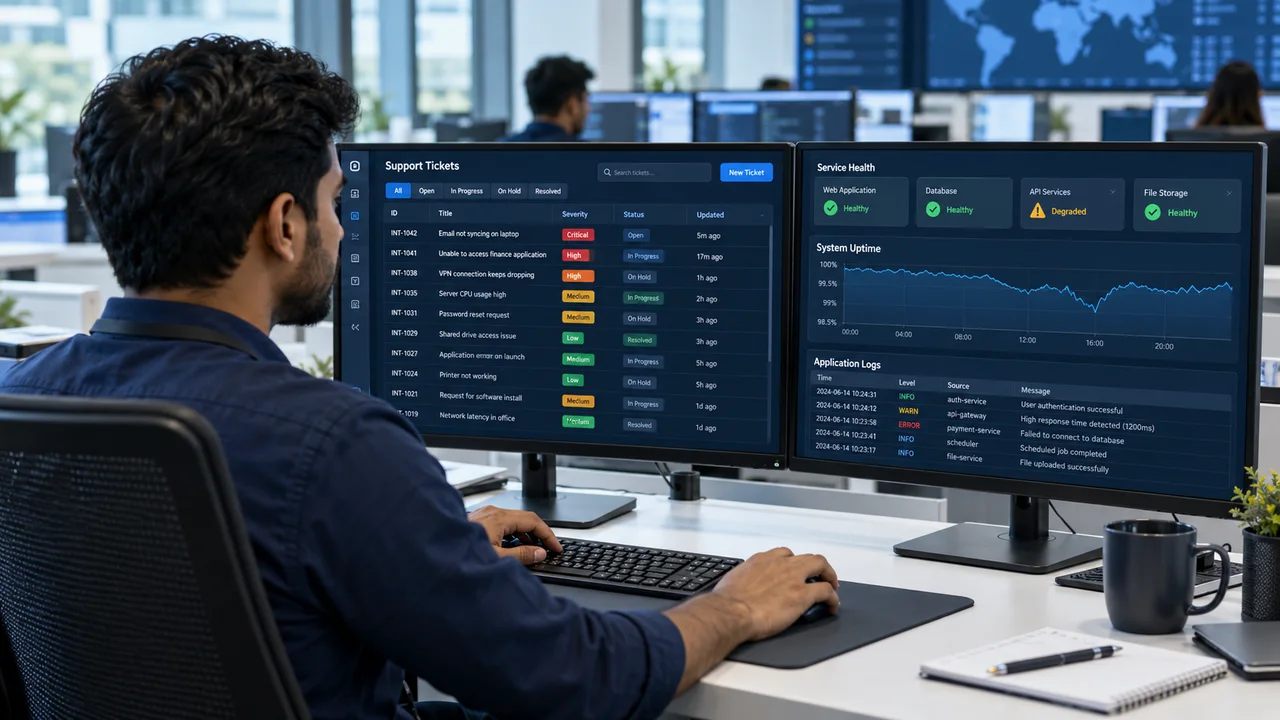
Support staff need to understand a reported issue alongside the health of the affected service. The portfolio dashboard combines ticket activity with logs and status information so teams can investigate from a consistent view.
What the project brings together.
Ticket flow
Organise support activity and severity so staff can find work that needs attention.
Operational context
Present application logs and system-status information alongside the support workflow.
Reporting
Use charts and filtered reports to review activity and communicate operational context.
The workflow, simply.
- Issue reported
- Severity reviewed
- Logs investigated
- Status communicated
Architecture overview.
React provides the dashboard interface with Node.js services behind it.
Grafana supports operational visualisation within the recorded technology stack.
Elastic supports the log and search side of the published portfolio.
Checks for a comparable deployment.
- Check severity filters against representative ticket records.
- Confirm which roles can access logs and sensitive diagnostic information.
- Test the view when a monitored service or log source is unavailable.
Useful things to know.
Why combine support tickets with monitoring?
A ticket describes what a user experienced; monitoring provides system context. Bringing both together helps the support team investigate the relevant service without repeatedly switching tools.
Does a dashboard replace incident response?
No. A comparable deployment still needs clear ownership, escalation rules, alert routing and recovery procedures agreed with the support team.