
Jayalath Vegetable & Fruit — Wholesale POS & Credit Management
A complete produce POS solution for Jayalath Vegetable & Fruit, bringing farmer accounts, supplier loans and advances, buyer credit, distribution and weight-based billing together with clear Sinhala A4 and 80mm bill designs.
Clear bills. Clearer accounts.
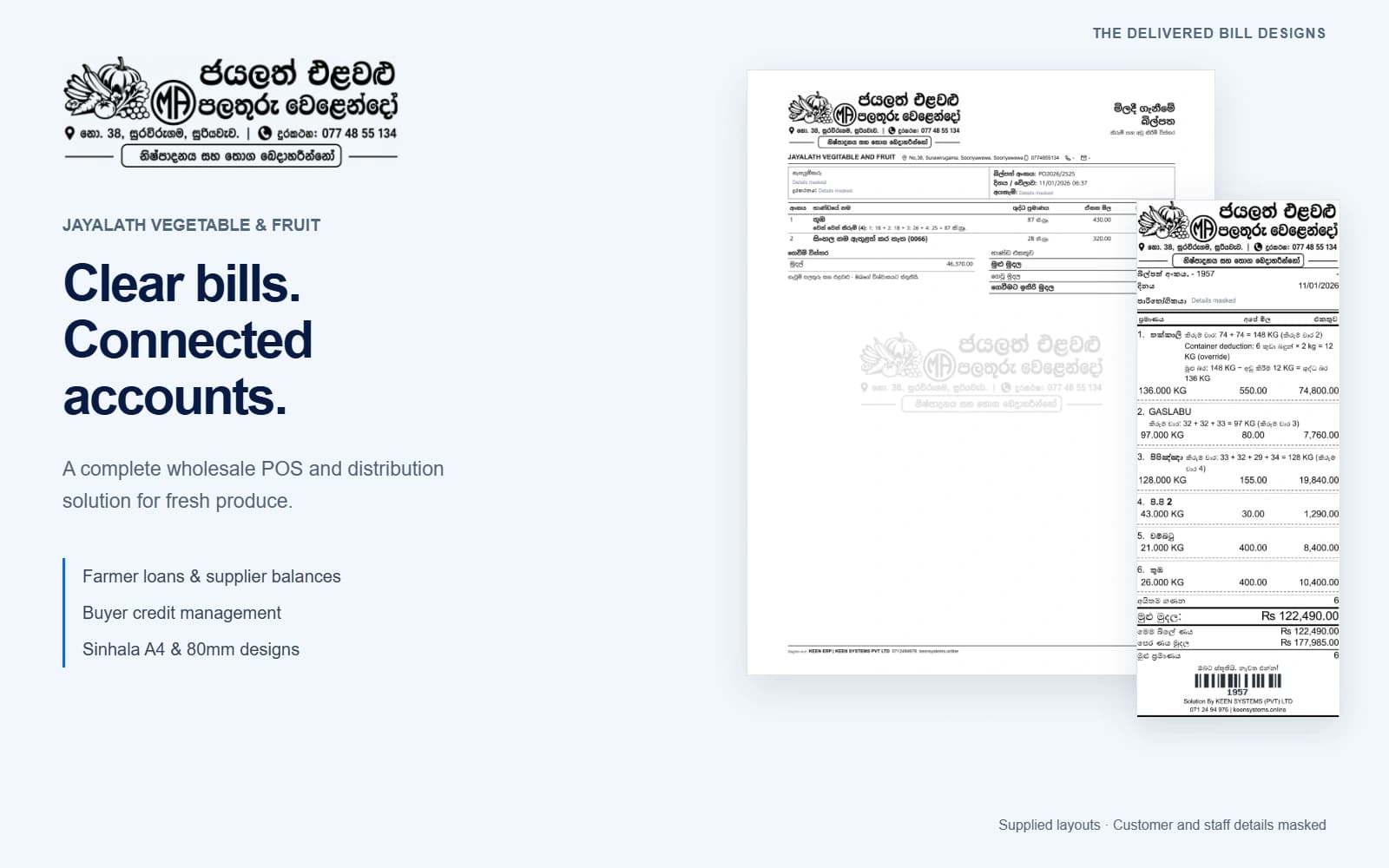
The supplied Jayalath sales and purchase designs take centre stage. Their Sinhala branding, line details, calculations, barcodes and watermark remain visible. Customer and staff identity fields are masked for these public previews.
A buyer’s bill that explains the balance.
Produce lines, separate weighings and net quantities, with this bill’s credit and the earlier balance shown separately.
The same clarity, in A4 or 80mm.
A branded farmer document with weighing details, purchase costs, payments and the amount still to settle.
A complete counter-to-distribution workflow
A practical POS for a fruit and vegetable wholesaler
Jayalath Vegetable & Fruit operates in Sooriyawewa, Sri Lanka. Its trade connects produce purchasing, weighed quantities, wholesale buyers and outgoing distribution. The supplied business documents identify No. 38, Suravirugama, Sooriyawewa.
Keen Systems delivered a complete POS solution around that daily work: purchasing and stock, farmer and supplier accounts, loans and advances, buyer credit, distribution management and clear printed bills. The Sinhala brand header and familiar document language help the paperwork stay understandable to the people receiving it.

The counter, the weight calculation and the account behind the bill
The supplied POS captures show customer selection, product search, multiple weighings, container deductions, payment options and a clear total. Explore those actual interface views below, alongside local examples explaining farmer balances, buyer credit and dispatch progress.
The interactive examples use fictional records. They help explain the workflow without connecting visitors to Jayalath’s business system or changing any real ledger, payment or delivery.
Supplied POS captures · Interactive account and dispatch examples use fictional records · No live business connection
The delivered counter interface.
Customer selection, search, multiple weighings and payment controls in one workspace.
Actual supplied interface capture. Displayed figures are captured examples, not current stock or prices.
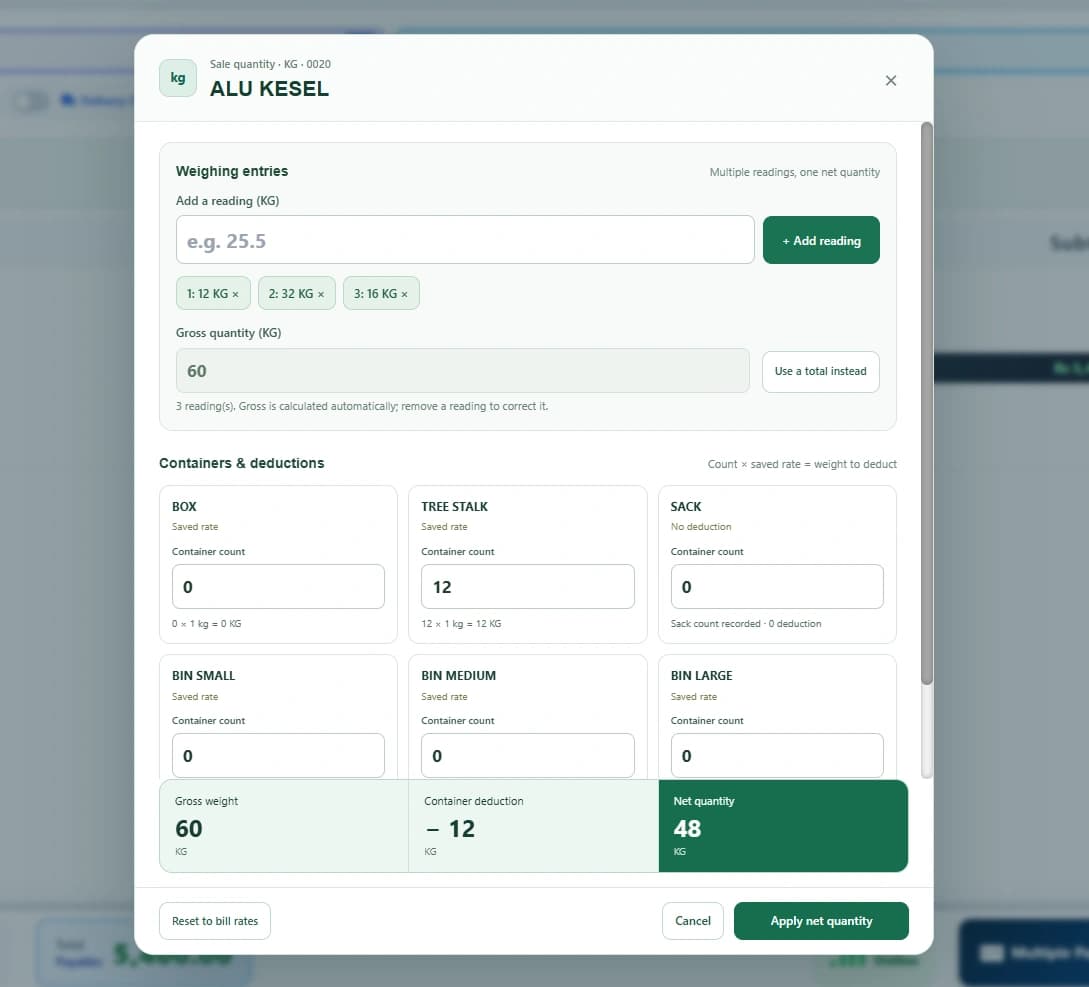
From separate readings to one net quantity.
Try the 60 kg weighing example from the supplied screen. The practice rate is Rs 90 per kg.
- Gross
- 60 kg
- Deduction
- − 12 kg
- Net quantity
- 48 kg
Sample line amount Rs 4,320.00
Know which side of the trade owes the balance.
Illustrative ledger screens explain farmer settlements, advances and buyer credit separately.
Payable to the farmer
- Produce purchased
- Rs 46,370.00
- Advance already applied
- − Rs 10,000.00
- Payment recorded
- − Rs 20,000.00
- Still payable
- Rs 16,370.00
Farmer 02 · Separate advance / loan account
Rs 7,500.00 outstanding to the business. It is kept apart from Farmer 01’s purchase payable.
Credit sales and collections
- Opening balance
- Rs 5,000.00
- Current credit bill
- Rs 122,490.00
- Buyer balance due
- Rs 97,490.00
Practice calculation only. It does not record a real payment.
Keep outgoing produce tied to its buyer.
A dispatch-board example shows order quantities and progress alongside the linked bill.
| Order / bill | Buyer | Produce quantity | Status | Try the workflow |
|---|---|---|---|---|
| EXAMPLE-D01 | Buyer 01 | 48 kg | Packed | |
| EXAMPLE-D02 | Buyer 02 | 87 kg | Ordered | |
| EXAMPLE-D03 | Buyer 03 | 128 kg | Dispatched |
Presentation only. No live dispatch, GPS tracking or customer notification is triggered.
Keep loans, advances and purchase settlements understandable
Produce purchasing is only one part of a farmer relationship. The solution also supports the records around supplier balances, farmer loans, advances and payments, so the team can follow the money associated with each account.
An amount payable to a farmer for produce and an advance or loan outstanding to the business are different positions. Keeping those movements clearly identified makes it easier to review a supplier account and discuss a settlement against its purchase documents.
The supplied Sinhala purchase design places weighing details, purchase value, payments and remaining balance on the same document. Staff and suppliers can refer to the same bill while checking what has been purchased and settled.
Separate the new credit bill from the earlier balance
Wholesale buyers may purchase on credit and settle through later collections. Buyer credit management connects the sale, its payments and the account balance, rather than treating every bill as an isolated transaction.
The supplied sales designs explicitly distinguish this bill’s credit from the previous balance. That clarity is a central part of the document design: the buyer can check the produce being supplied while seeing the credit information associated with the account.
The local account example above illustrates how an opening balance, a new credit sale and a received payment affect the amount due. Its figures are fictional and are not Jayalath’s current receivables.
Connect outgoing produce with its order and buyer
The implementation includes distribution management alongside the POS workflow. Delivery orders, buyer details, supplied quantities and order status help keep the outgoing side of the produce business connected to billing.
The dispatch-board example shows how a team can follow an order from preparation through dispatch and delivery. It demonstrates the workflow using fictional orders; it does not send a live dispatch instruction or customer message.
Purchasing, inventory, sales, credit and distribution form one business process. Keeping their records together reduces the need to explain a delivery using a separate, disconnected set of figures.
Show how gross weight becomes billable net weight
The quantity interface records separate weighings and applicable container or stalk deductions. The supplied example contains 12 + 32 + 16 = 60 kg gross, a 12 kg deduction and 48 kg net.
The second sales bill provides another clear example: 148 kg gross − 12 kg container deduction = 136 kg net. The explanation remains beside the produce line, allowing the recipient to follow the arithmetic instead of seeing only a final quantity.
These are examples from the supplied captures and documents, not live trading rates or inventory quantities.
One business identity, in a format that suits the transaction
The sales bills use a narrow, readable 80mm-style Sinhala layout. Farmer purchases are shown in both A4 and 80mm designs, retaining the Jayalath brand, produce details, weighing information and settlement totals.
The full-page purchase design includes a branded watermark and a structured payment summary. The thermal layout keeps the document compact while preserving the useful item and payment information. The bill showcase above provides enlarged views and public PDF copies.
Only customer and staff identity fields have been masked in the public copies. The supplied design, item calculations, totals and branding remain visible; the source files supplied by the owner are preserved separately.
Wholesale produce POS: practical questions answered
Answers about the Jayalath implementation and the supplied bill designs.
What did Keen Systems deliver for Jayalath Vegetable & Fruit?
A complete produce POS solution connecting purchasing, stock, farmer and supplier accounts, loans and advances, buyer credit, distribution management, reporting and clear Sinhala bill designs.
Where is Jayalath Vegetable & Fruit based?
The supplied business documents identify No. 38, Suravirugama, Sooriyawewa, Sri Lanka.
Can the system manage farmer loans and supplier advances?
The implementation includes farmer and supplier account management, including loans, advances, purchases, payments and balances. These movements should remain clearly identified when reviewing an account.
How are buyer credit balances presented?
Buyer credit is connected to sales and collections. The supplied sales bills distinguish the current bill’s credit from the previous balance so the recipient can understand both.
Which invoice and purchase-bill formats are shown?
The page includes two supplied Sinhala sales designs in an 80mm style, plus the Sinhala farmer purchase design in both A4 and 80mm formats. Each can be enlarged or opened as a public PDF copy.
How does the POS calculate net produce weight?
Separate weighing readings are combined into gross quantity, then applicable container or stalk deductions are removed. The supplied interface example shows 60 kg gross less 12 kg deduction, leaving 48 kg net.
What distribution workflows are included?
The solution connects delivery-order details, buyer information, outgoing quantities and status with the POS and billing workflow. The website dispatch board is a fictional local example of that process.
Are the UI samples connected to Jayalath’s live records?
No. The supplied screenshots are captured interface views. The interactive weight, credit and distribution examples run locally with fictional data and do not access the business database, record payments or trigger deliveries.
Have the bill designs been recreated for the website?
The previews are rendered from the four PDFs supplied for this project. The design, branding, line details and totals are retained. Customer and staff identity fields are masked in the public copies.
Can Keen Systems scope a similar POS for another produce distributor?
Yes. Share the purchasing process, weighing rules, farmer-loan and supplier-account requirements, buyer credit process, delivery workflow and required print formats so a suitable implementation can be planned.
A clear bill starts with a connected workflow.
Show us your farmer purchase bill, buyer credit book and distribution process. We can plan a produce POS around the way your business works.
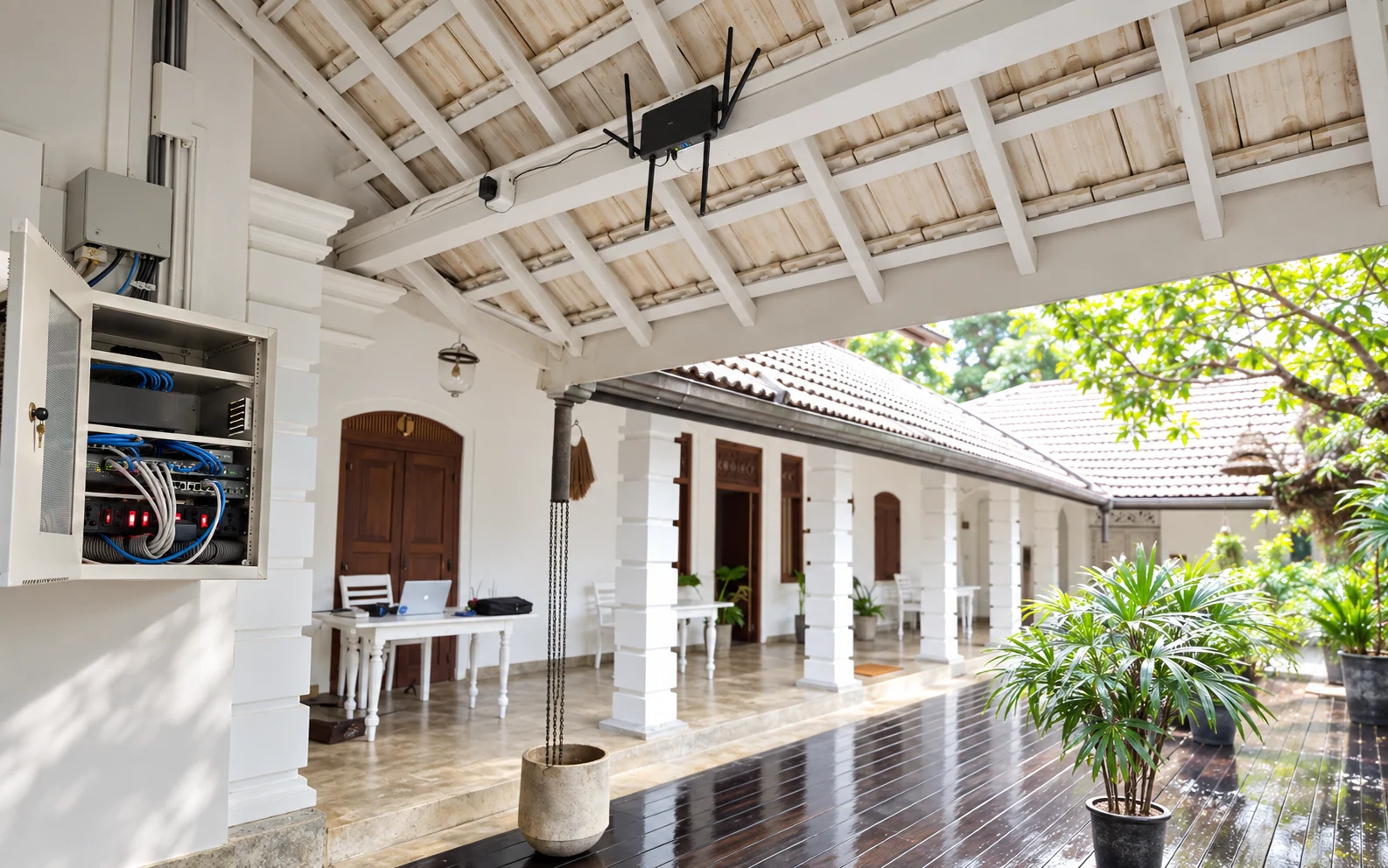 View project Hospitality and guest connectivityKIMA Surf Weligama Network & Wi-Fi ConfigurationA Keen Systems network and Wi-Fi configuration for KIMA Surf Weligama, connecting guest areas with access points, a dedicated equipment cabinet and wired infrastructure.
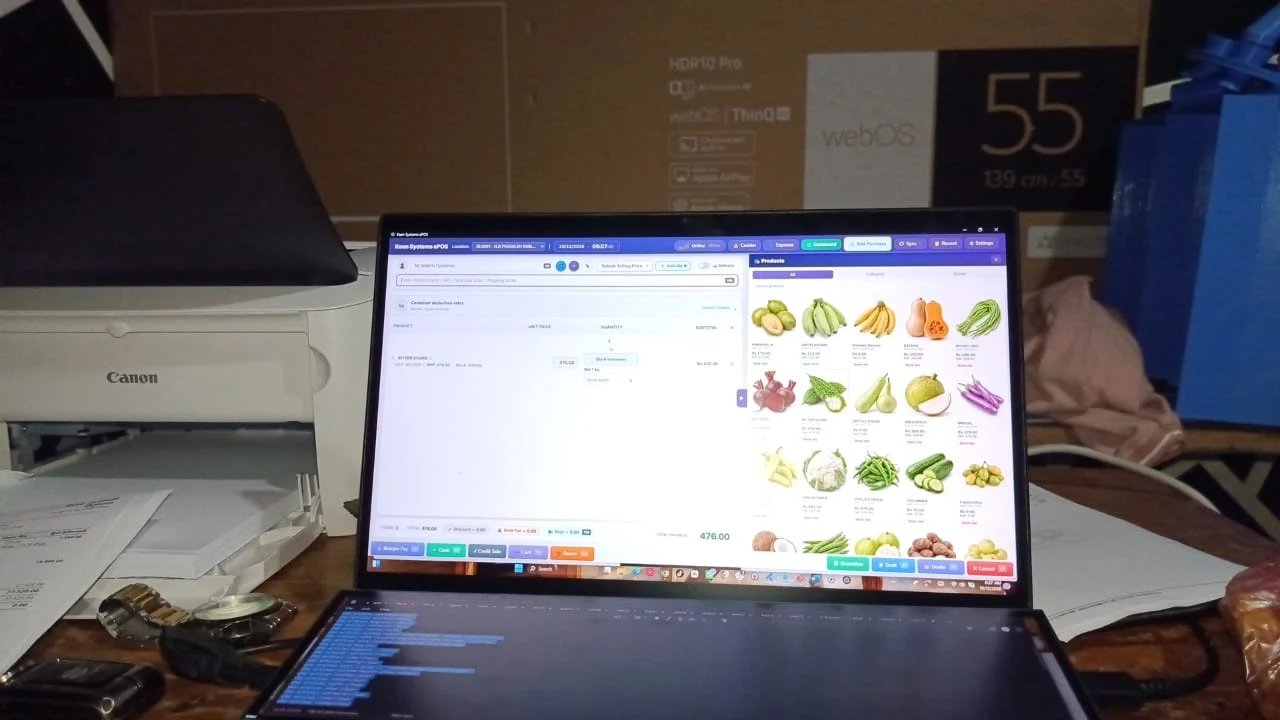 View project Fruit and vegetable wholesale supplyH.A. Prabash Kumara — Fruit & Vegetable Wholesale ERPA tailored wholesale ERP and POS implementation connecting farmer purchases, weighed produce, Sinhala purchase bills, English buyer invoices and a shareable daily-price catalogue for H.A. Prabash Kumara.
 View project Chemical storage and facility securityDilax Chemical GSM Smart Key Locker SystemA GSM-based smart key-storage system for Dilax Chemical (Pvt) Ltd, designed for controlled chemical-room key requests, HR-approved temporary access and remotely managed locker unlocking.